|
The [Event] tab |
  
|
|
The [Event] tab |
|
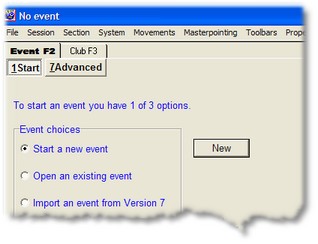
When you first open the ASE Scorer there is no event. The [Event F2] tab shows only one tab, [1 Start]. From tab [1 Start] you may create a new event, open an already existing event, or import an old event from the previous version of the ASE Scorer.
These options are also available from the main menu, File/New, File/Open and File/Import V7 respectively.
Once an event has been opened (it is automatically re-opened if an event was open when the program was last closed), the [Event F2] tab shows the 9 event tabs available to you.
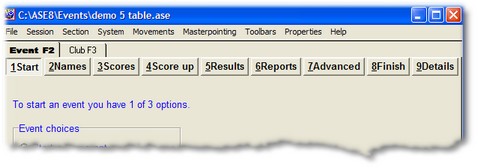
These tabs allow you to:
| • | 1 start another event |
| • | 2 enter the names of players participating in the event |
| • | 3 enter the scores achieved by the players |
| • | 4 calculate the results of the event |
| • | 5 view the results of the event |
| • | 6 print or view the reports about the event's results |
| • | 7 use advanced options applying to the current event, session or sections |
| • | 8 finish up the event, save or finalise |
| • | 9 view the details of the properties of the event |
This help file was created with an unregistered evaluation copy of Help & Manual. © EC Software. All rights reserved. This message will not appear if you compile this help file with the registered version of Help & Manual.