| Description of function/feature |
Bridgemate Pro |
Bridgemate II |
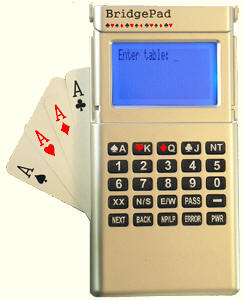
BridgePad |
| Keyboard |
25 keys |
25 keys + 4 function keys |
25 keys including 5 function keys |
| Screen |
2 lines of 16 characters |
Graphical display. 4 to 10 lines of text |
Graphical display. 4 to 8
lines of text |
| Batteries |
4 x AAA |
2 x AA |
2 x AA |
| Selection of section/table at start of session |
yes |
yes |
yes |
| Scan for available sections at start of session |
no |
yes |
yes |
| Entry of contract & result |
yes |
yes |
yes |
| Entry of lead card |
yes |
yes |
yes |
| Entry of player numbers at start of session |
yes |
yes |
yes |
| Automatic entry of board number |
no |
yes |
yes |
| Verification of board order |
yes |
yes |
yes |
| Confirmation of score by east/west |
OK key |
"accept" key |
Security code |
| Players can review and edit their scores |
no |
yes |
yes |
| Show percentage of board result |
yes |
yes |
yes |
| Show IMP of board result |
no |
yes |
yes1 |
| Show remaining boards to be played |
no |
yes |
yes |
| Overview of previous board results |
2 per screen |
4 or 6 per screen |
4 to 8 per screen using font
change option |
| Show seatings for next round |
no |
yes |
yes |
| Access to TD-menu |
TD-key |
PIN code |
PIN code |
| Confirmation of "Not played" by TD |
no |
yes |
yes |
| Update Bridgemate settings during play |
no |
yes |
yes |
| Software update method |
data cable |
wireless transfer |
wireless transfer |
| Screen cover and stand |
no |
no |
yes |
| Modern ergonomic design |
no |
yes |
yes |
| USB cable based server |
no |
no |
yes |
| Waterproof keyboard |
no |
yes |
yes |
| Player names display on number entry |
no |
yes |
yes |