Print movement |
  
|
Print movement |
|
Selecting the [Print] option from the main menu will show this screen for you to choose the desired report:
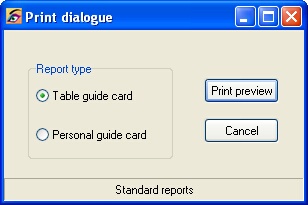
There are two types of reports available for any movement.
•Table guide cards. These are designed to be placed on the tables so the players can see how to proceed in regular way about the movement.
•Personal guide cards. These are designed to be given to the players so they know which table to proceed to after each round.
The print preview will show the report on the screen. If you are satisfied with the report you may choose to direct the output to the printer, save the file for later printing or save as a PDF file.
When you choose to print the report a standard windows printer dialog will be shown.
When you choose to direct the output to an Adobe PDF file you will be asked for a name and location for the file.