Options, bidding pad |
  
|
Options, bidding pad |
|
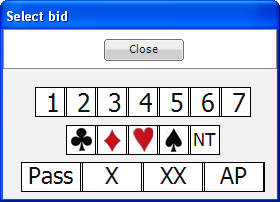
The [options] menu item [bidding pad] shows the 'select bid' screen:
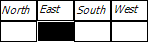
Also the bidding list in the bottom left hand corner of the main screen shows the bid you are about to enter. For a new deal the first bid will be positioned at the dealer. For example, with dealer East is shows East highlighted:
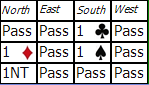
Where the bidding is complete, the bidding list shows like:
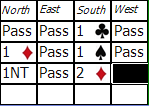
To change a bid, click on the incorrect bid and enter the bid on the select bid screen. For example to change South's Pass to 2♦, click the Pass to see:
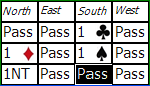
Then click the '2' and then '♦' on the bidding pad and the auction is changed to: